
How to Track Guest Post Links Free: A Real-World Guide
How to Track Guest Post Links for Free (Without Losing Your Mind)
Let’s be real for a second: Guest posting is a grind. 😅
You spend hours hunting down prospects, crafting the perfect pitch emails, and writing content that editors will actually publish. It’s exhausting work.
But here’s the hard truth: The job isn't done when the post goes live.
Imagine celebrating a great placement on a DR60 site today, only to find out six months later that they quietly removed your link—and you never noticed. All that effort wasted.
You need to monitor those backlinks to ensure they stay active and keep passing value to your site.
Many big agencies use expensive software like Ahrefs or Semrush to automate this. But if you are a solopreneur or running a small team, you absolutely do not need another monthly subscription just to manage your campaign.
You can track guest post links for free with a few reliable tools and a solid process. This guide is a practical, real-world look at how to build a tracking system that costs zero dollars, starting with the manual basics and moving to smarter free tools.
Why You Can't Just "Set It and Forget It"
Building links without tracking them is like throwing money into a well and hoping it fills up. You need to know if your hard work is actually paying off.
In the real world of SEO, things change fast:
- A website owner might decide to clean up old posts and delete yours.
- An editor might change your hard-earned "dofollow" link to "nofollow" without telling you.
- The site itself might crash or go offline.
Tracking helps you answer three critical questions:
- Is it still there? (Status)
- Does Google care? (Indexability)
- Is it actually sending people to my site? (Performance)
Method 1: The "Trusty Old Spreadsheet" (The Manual Way)

The most reliable, "old school" tool is a simple spreadsheet. It gives you total control over your data, and hey, it’s free. You should create a dedicated "Guest Post Master Tracker" to log every victory.
Create a new Google Sheet and include these essential columns:
- Website Name: Where is the post hosted?
- Live Post URL: The direct link to your published article.
- Target URL: The page on your site the link points to.
- Anchor Text: The clickable words you used.
- Date Published: When did it go live?
- Contact Person: The email of the editor (crucial if things go wrong).
- Status: Use a dropdown for "Live," "Removed," or "Pending."
The Honest Downside of Spreadsheets
Look, spreadsheets are great for storage, but they are terrible for monitoring.
You have to remember to check this sheet once a month. This means physically clicking through every single "Live Post URL" to make sure the page loads. Then, you often need to right-click and "Inspect Element" in your browser to verify they haven't sneakily added a rel="nofollow" tag.
Real Talk: When you have 10 links, this is fine. When you have 50+, manual checking becomes mind-numbing tedious work that is prone to human error. You will get sick of doing this. That's usually when people start looking for Method 4.
Method 2: Google Search Console (The ultimate Validator)
Spreadsheets tell you what you think you have. Google Search Console (GSC) tells you what Google thinks you have. And Google's opinion is the only one that matters for rankings.
Use GSC to confirm that Google has actually found and "counted" your guest post link.
How to check links in GSC:
- Log in to your Google Search Console account.
- Scroll down the left sidebar and click Links.
- Look at the Top linking sites report.
- Click More to see the full list.
Search for the domain where you guest posted. If it appears there, congratulations! Google has indexed the link and it’s passing authority.
Don't Panic: GSC is slow. It often takes 2–4 weeks (sometimes longer) for a new link to show up here after publication. Patience is key.
Method 3: Google Analytics 4 (Tracking Actual Humans)
We often get obsessed with SEO metrics like "Authority," but let's not forget the original point of a link: to send a user from one page to another.
Good guest posts don't just boost rankings; they bring real people (potential customers!) to your website.
How to find referral data in GA4:
- Open your GA4 property.
- Go to Reports > Acquisition.
- Click on Traffic acquisition.
- Change the primary dimension in the first column to Session source / medium.
Look for the domain of the guest post site (e.g., hubspot.com / referral). This shows you how many actual human beings clicked your link. High referral traffic is the ultimate sign of a quality guest post placement.
Method 4: The "Work Smarter, Not Harder" Way (Free Tools)

If the thought of manually clicking through a 100-row spreadsheet every month makes you want to cry, I don't blame you.
But if you also don't want to shell out $99/month for Ahrefs just to track links, there is a middle ground. You can use free specialized tools designed to solve "spreadsheet fatigue."
We built BacklinkHelper's Backlink Manager specifically for this scenario.
Instead of manual clicking, it acts like a smart dashboard:
- Get Organized: Import your messy Excel URLs into a clean interface.
- One-Click Tracing: Use our free browser extension to instantly highlight your links on a page and check their status (dofollow/nofollow) without digging into the code.
- Clean Up: Automatically find duplicate links you might have missed.
This "Hybrid Approach" gives you the organization of a CRM without the high cost. You can combine this with Moz Link Explorer's free version to check Domain Authority (DA) metrics, while using BacklinkHelper to manage the daily workflow.
Bonus: Need More Sites to Track?
Tracking is important, but first, you need links to track! One of the hardest parts of SEO is simply finding high-quality sites that actually accept guest posts right now.
Instead of blind Googling for hours, we've done the heavy lifting for you. 👉 Check out our free resource: Guest Post Sites Directory | 1000+ Vetted Opportunities
Common Questions I Get About Tracking
1. How often do I really need to check my links? If you are doing it the hard way (manually), once a month is enough. Link profiles don't change overnight. If you use a tool like BacklinkHelper that makes it faster, you might check weekly just for peace of mind.
2. My link isn't in Google Search Console yet! Is it broken? Probably not. Give it time. Google doesn't crawl the entire internet every day. If the guest post is on a smaller blog, it might take a month or more. If it's been over two months, check the guest post page's source code to ensure they didn't accidentally add a "noindex" tag to the page itself.
3. Can I really scale this manually? Honestly? Not easily. Manual tracking works okay for your first 50-100 links. Beyond that, it becomes a part-time job that takes you away from actually building new links. For most solo SEOs and small teams, switching from pure Excel to a Free Backlink Manager is the inevitable next step to save your sanity.
Conclusion
You don't need a massive enterprise budget to run a professional SEO campaign. You just need discipline and the right free stack.
My advice?
- Start with Level 1: Use Google Sheets to get the habit going.
- Upgrade to Level 2: Switch to BacklinkHelper + GSC when the spreadsheet starts feeling like a chore.
Go back through your emails today, find your past five guest posts, and log them. That simple habit puts you back in control of your off-page SEO.
Recommendations
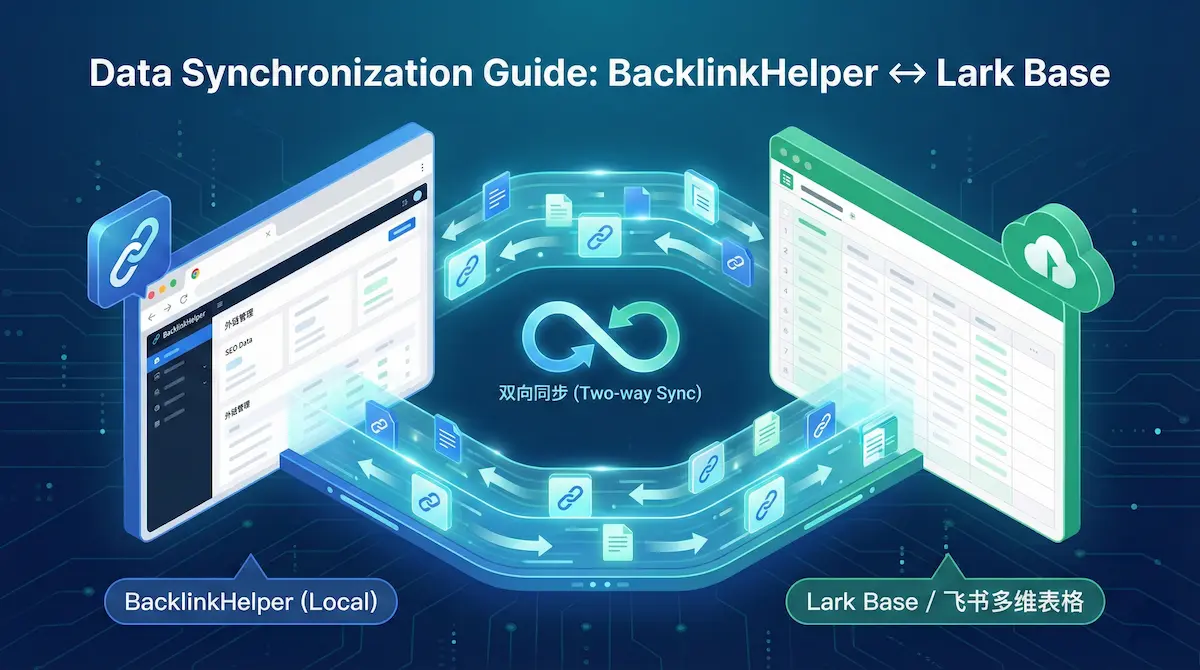
Lark Base (Feishu) Data Sync Guide | BacklinkHelper Manual
Learn how to set up two-way synchronization between BacklinkHelper and Lark Base (Feishu). A step-by-step guide on API authorization, group binding, and auto-sync features.

Automate Blog Commenting: The Safe 'Cyborg' Strategy
Let's be real: manual commenting sucks. Here is how to use AI and smart tools to automate the boring parts without getting your site penalized.
How to Safely Use Comment Backlinks — The Ultimate Guide to Avoid Google Penalties
Worried that comment backlinks might trigger a Google penalty? This in-depth guide reveals how to use comment backlinks safely — including key principles, hands-on strategies, and common pitfalls — to boost link quality while staying penalty-free.
Comments
No comments yet